
Narrate your own script
Paste the script you've written and the AI follows it exactly — up to 8,000 characters.
Video typesAnnotated screenshots
On this page
Step 1: Open URL/Script
On the create page, click URL/Script on the left. The top half is for links; the bottom half, Paste script, is for your own words.
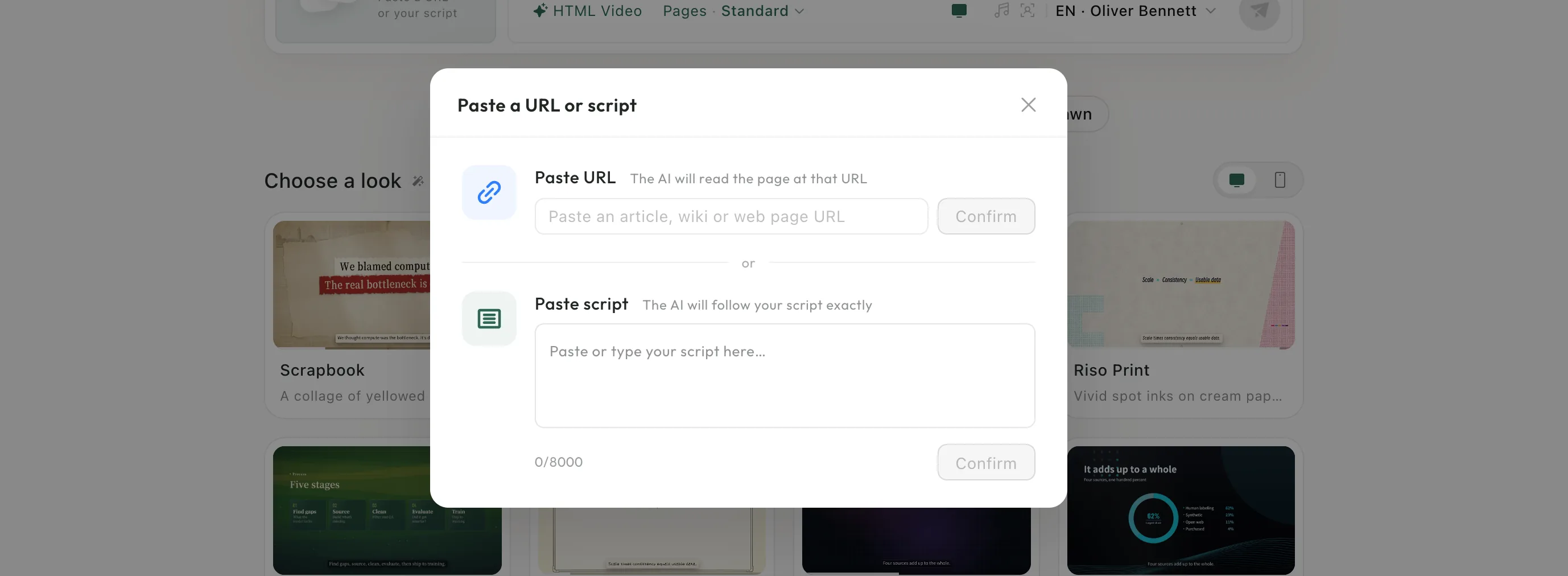
Step 2: Paste your script
Paste or type your script — up to 8,000 characters — and click Confirm.
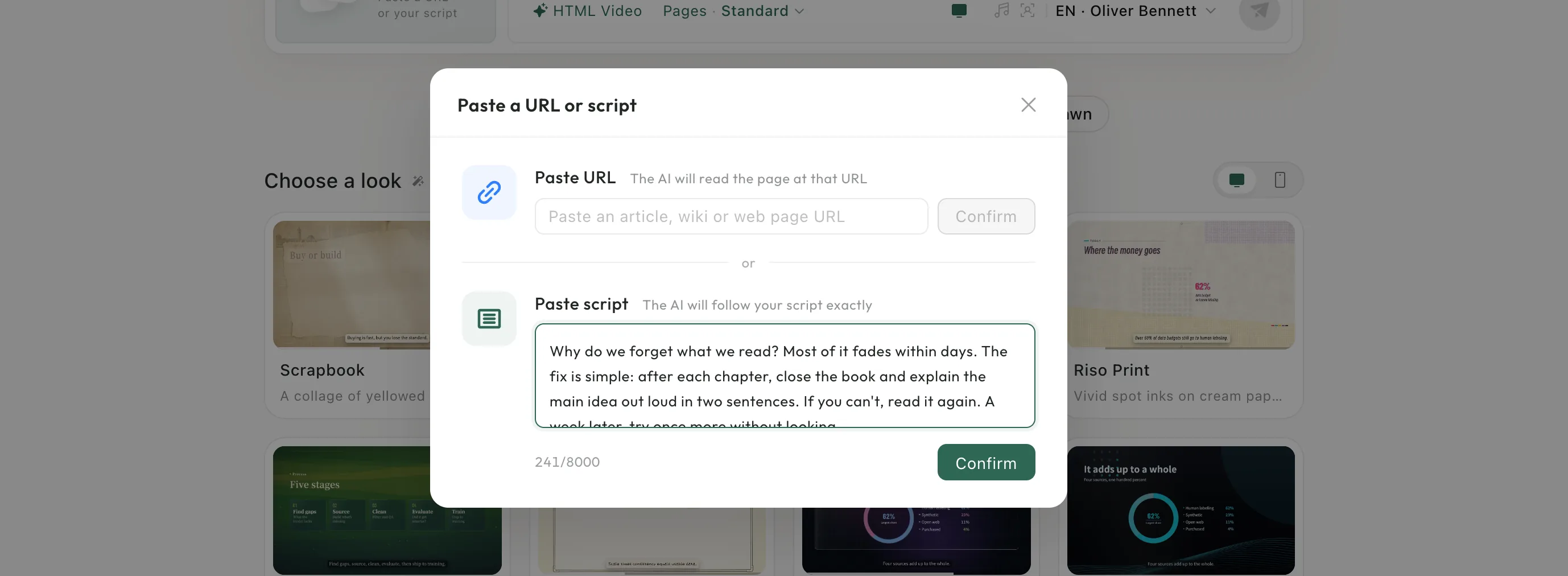
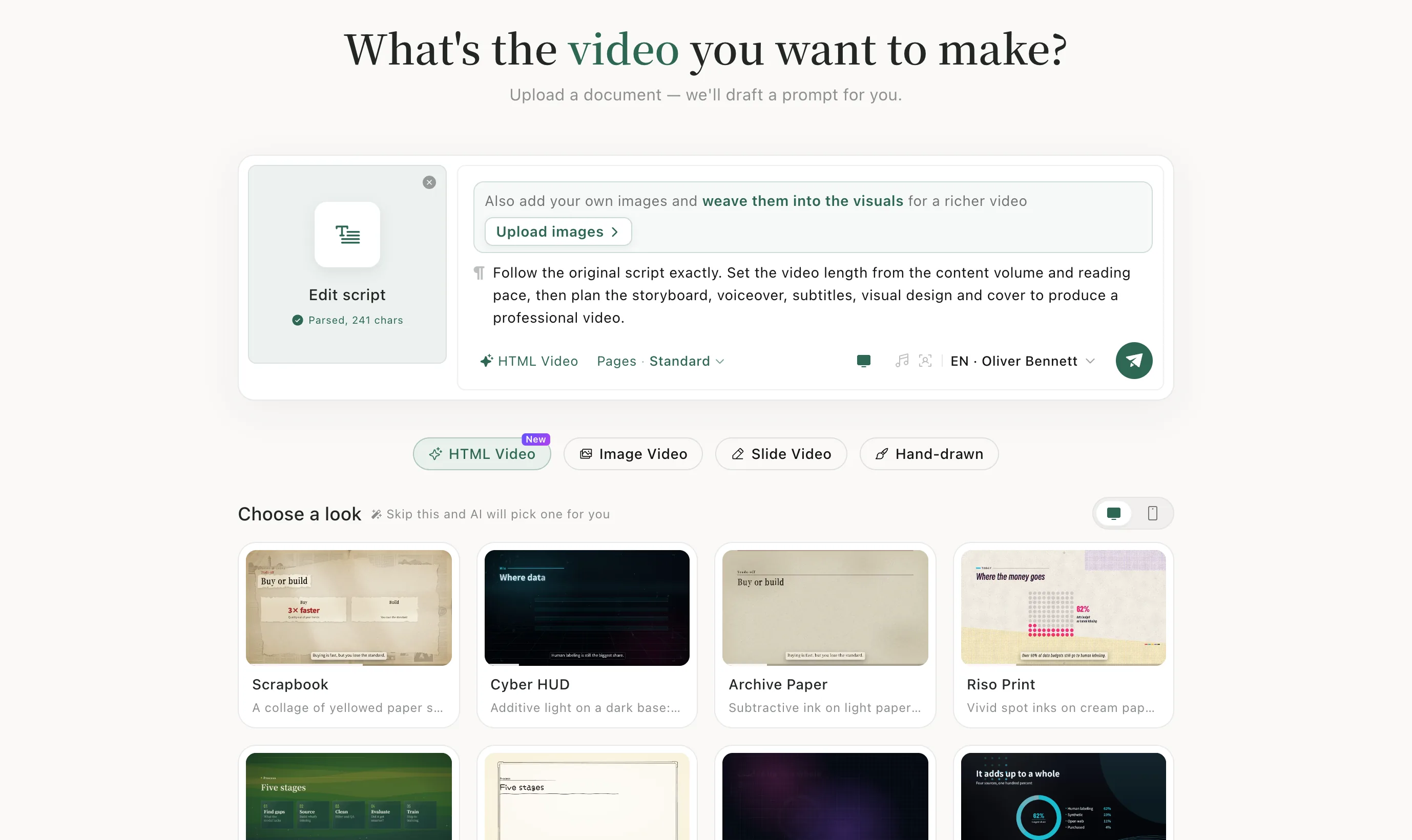
Step 3: Pick a video type and send
The card now reads Edit script with the character count, and the prompt begins “Follow the original script exactly.” Choose a video type and click the green send button.
After it's made
Preview the video on the task page and download it — see Edit and download.
When to use it
Use it when every word matters: a talk, a lesson, an announcement. If you'd rather the AI write the narration from your material, upload the file instead — see Quick start.
Good to know
- After pasting, you can still add your own pictures: Upload images appears above the prompt.
Keep learningProjects