A Remotion Alternative Built for Explainer Videos — No Code Required
Remotion is a brilliant open-source framework for building videos with React. VibeKnow takes the same rendering foundation and wraps it in a no-code workflow with 100+ studio-designed templates — so anyone can ship a polished explainer video without touching a line of code.
Remotion is great. Building videos with it is hard.
Remotion is an open-source framework that lets you build videos with React. Compositions are just components; animation timelines are just code. For developers comfortable with TypeScript and React, it’s the most expressive video toolchain available — and the community has wired it up with every popular AI agent and editor, including Claude, Codex, OpenCloud, and Hermes Agent, so you can prompt your way to a render.
But anyone who’s actually shipped video this way knows the gap between “an agent generated a Remotion project” and “we shipped a polished explainer” is wide. You debug component code. You handle audio timing yourself. You manage a render pipeline. You stare at a frame that’s 30px off and dive back into React to fix it. Every iteration costs hours of engineering time — and if you want a second video, you mostly start over.
For one-off, bespoke video work, that effort is the point. For ongoing explainer production, it’s a tax.
Built on Remotion, designed for non-developers
VibeKnow is a hosted product built on top of the Remotion rendering engine. Same deterministic, code-driven foundation underneath — but the layer you actually touch is a browser-based workflow built for people who write decks, docs, and articles, not React components.
You drop in a PDF, a Word doc, a Notion page, or a URL. VibeKnow extracts structure, drafts a script, picks visuals, generates voiceover, and renders a finished explainer video — typically in three to five minutes. You can stay hands-off, or jump into the editor and tweak any scene.
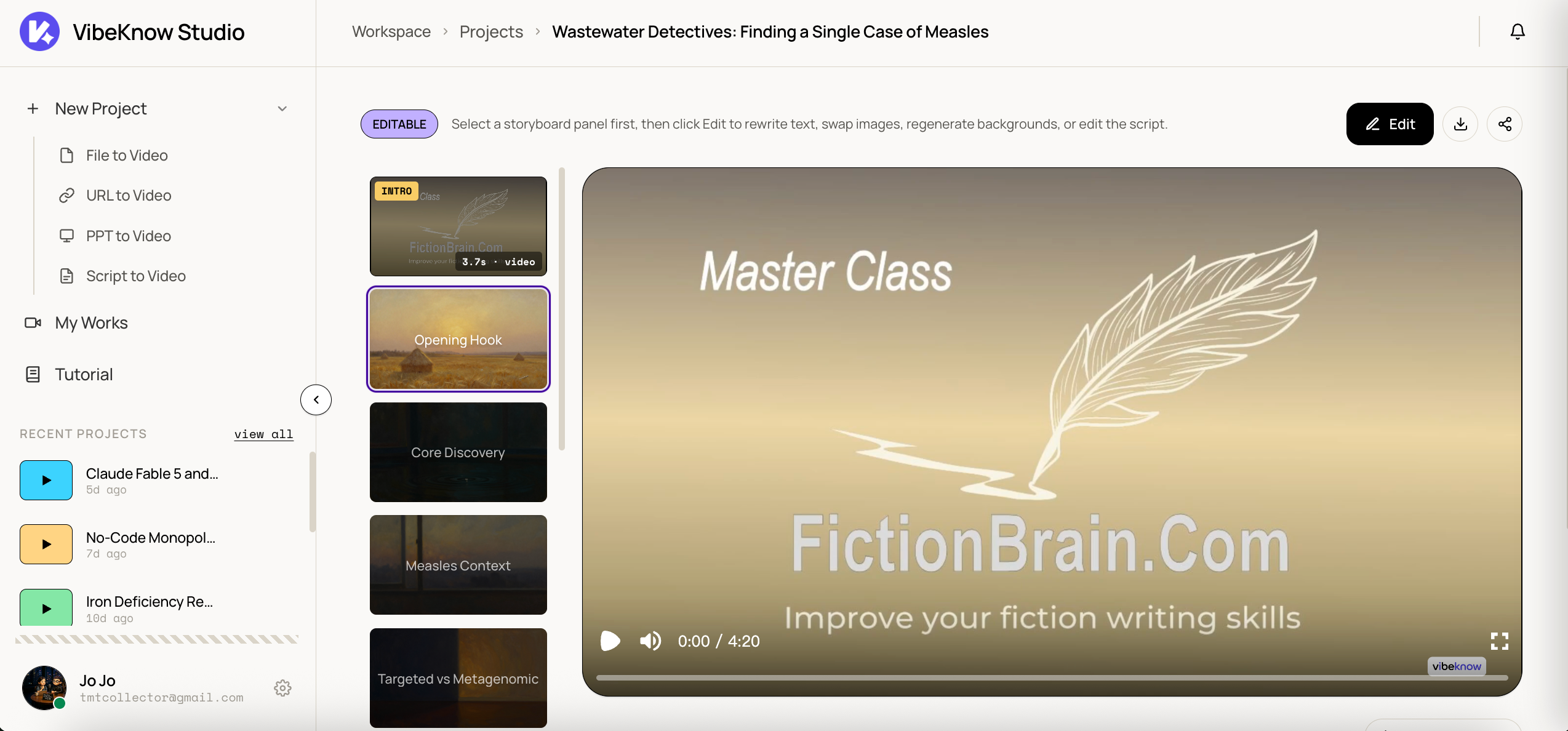
VibeKnow vs Remotion — at a glance
| Remotion | VibeKnow | |
|---|---|---|
| Type | Open-source React framework | Hosted product |
| Who it’s for | Developers and motion designers who code | Marketers, educators, creators, ops teams |
| Setup time | Hours (Node, React, render pipeline) | Seconds (sign up, drop in a document) |
| Templates | Build from scratch, or community starters | 100+ studio-designed templates |
| Coding required | Yes (TypeScript + React) | None |
| AI features | DIY via Claude, Codex, OpenCloud, Hermes Agent | Built-in (see next section) |
| Approach | Agent-driven or hand-coded | Deterministic workflow |
| Best for | Custom, programmatic videos | Batch explainer videos for social and training |
| Pricing | Free (open-source license) | Free tier, plus paid plans |
Why workflow beats agent for delivery
Remotion plus an LLM agent (Claude, Codex, OpenCloud, Hermes Agent) is a powerful combo for one-off, bespoke video projects. Ask an agent to “build me a video about X” and it generates the React code, renders, iterates. For exploration, that’s a feature.
For delivery — shipping a polished explainer every week, batching 50 onboarding videos, running a multilingual launch — agent autonomy is the wrong primitive. Agents are non-deterministic (same prompt, different output), expensive (every iteration burns LLM tokens end-to-end), and hard to QA (nothing guarantees brand consistency on the next render).
VibeKnow is built around a deterministic workflow tuned specifically for explainer videos:
- Stable — same input, same output. Templates lock in style. Scene structure is rule-based, not generated from scratch each time.
- Economical — AI is invoked where it earns its keep (script extraction, voiceover, translation), not for the entire video pipeline.
- Repeatable — run the workflow on one input, then re-run it on 100. Same brand, pacing, and quality across the batch.
If you’re producing explainer videos at any meaningful scale, “an agent that figures it out” is worse than “a workflow that just does it.”
What VibeKnow handles for you that Remotion doesn’t
Remotion is a rendering framework. Everything around the render — getting source content in, writing script, voicing, captioning, translating, editing — is your job. VibeKnow handles each of those out of the box:
Document & URL ingestion
Drop a PDF, Word, PPT, or paste a URL. VibeKnow parses the structure — headings, sections, figures — into a scene plan. Remotion has no built-in source ingestion.
AI script generation
Narration is auto-drafted from your source document, paced for video and editable line by line. Remotion expects you to bring your own script.
Studio-designed style templates
Pick from 100+ studio-designed templates covering different industries, tones, and aspect ratios. Remotion is bring-your-own design.
TTS voiceover & voice cloning
Native voice library plus voice cloning, so narration stays on-brand. Remotion requires you to wire up ElevenLabs, Cartesia, or another TTS provider yourself.
Multi-language output
Manually select a target language; VibeKnow translates the script and produces matching voiceover. Remotion: write your own i18n and translation pipeline.
Auto-generated subtitles
Word-level timed captions baked in, ready for YouTube, TikTok, and silent autoplay. Remotion: render and sync your own.
Quick in-browser editing
Tweak any scene, swap visuals, re-record voiceover, reorder sections — all in the browser, no rebuild. Remotion: edit code, re-render.
100+ studio-designed templates, ready out of the box
Templates are the difference between a video that looks like it was made by an engineering side-project and one that looks like it was made by a studio. VibeKnow ships 100+ templates, every one designed in-house — not stock-assembled. They cover product explainers, course modules, training, internal updates, and social cuts (16:9 and 9:16).
Pick one and the entire output — type, color, motion, pacing — locks to that style. Want a different feel for a different product line? Switch templates, re-render. The script, visuals, and voiceover stay; only the design changes.
From document to YouTube or TikTok in minutes
The end-to-end flow is built for one thing: get a finished explainer video out of a document and onto a social channel without leaving the browser.
- Source — upload PDF, Word, PPT, paste a URL, or write text directly.
- Script — auto-drafted from the source, edit any line.
- Style — pick from 100+ templates, lock the brand look.
- Voice — pick from the library, or clone your own.
- Language — keep English, or select another target language and let VibeKnow translate the script and re-voice.
- Subtitles — auto-generated, word-level timing, ready for silent autoplay on TikTok or YouTube Shorts.
- Edit — adjust any scene in the browser, swap visuals, fine-tune voiceover.
- Export — render 1080p, download or share a link.
Total time for a typical three-to-five-minute explainer: under ten minutes, including edits.
When Remotion is still the right choice
We’re not pretending VibeKnow replaces Remotion for every use case. Reach for Remotion when:
- You need programmatic, per-frame control — data-driven animations, charts that update from a feed, generative motion that no template would cover.
- You’re building a custom video pipeline as part of a product — renders triggered by your backend, integrated into your app’s flow.
- You want to own the entire stack and have the engineering capacity to maintain it.
For those use cases Remotion is the right tool, and we recommend it without qualification. The team behind it (remotion.dev) does excellent work, and the open-source community has built impressive things on top. VibeKnow is for the specific case where you need explainer videos at production cadence and you don’t want to operate a video engineering stack to get them.
Frequently asked questions
Is VibeKnow a Remotion fork?
No. VibeKnow uses Remotion under the hood as the rendering engine, the same way many production video tools wrap FFmpeg. The product on top — the templates, the workflow, the document ingestion, the script and voiceover pipeline — is built by VibeKnow.
Can I still use Remotion directly if I need full control?
Yes — and you should, for any video that genuinely needs programmatic control. Remotion is excellent for one-off, custom, code-defined videos. VibeKnow is for batch explainer videos where deterministic output and speed matter more than per-frame control.
How is VibeKnow different from agent-based Remotion stacks (Claude / Codex / OpenCloud / Hermes Agent)?
Agent stacks are non-deterministic and expensive at scale — every render burns LLM tokens, and the same prompt can produce different output. VibeKnow uses a deterministic workflow: AI is invoked only for script and voiceover, while structure and design are template-driven, so 50 videos come out consistent.
Do I need to write any code or React?
No. VibeKnow runs in the browser. Pick a template, drop a document or paste a URL, edit anything you want, export. No Node, no React, no render farm.
Can I clone my own voice?
Yes. VibeKnow includes built-in voice cloning alongside a library of stock voices, so you can keep narration on-brand without wiring up a separate TTS provider.
Does VibeKnow support languages other than English?
Yes. You can manually select a target language; VibeKnow handles script translation and matching voiceover. Subtitles are auto-generated to match.
Start free — your first explainer video in 5 minutes
Pick a template, drop a document, get a polished explainer video. No code, no render pipeline, no credit card.
Try VibeKnow free →